
MacroFactor Review

Reviewed by Leah Wakefield, MPH, RDN · LinkedIn ↗
Published 2026-10-20
MacroFactor has the smartest adaptive coaching in the category: weekly targets recalibrated from your weight trend and an adherence-neutral philosophy that treats logging as data, not judgment. Measured at ±4.8% — second-best of the majors. The costs: no free tier ($71.99/yr), all-manual logging, no photo mode, and targets that reward patience. Best for data-driven users who weigh their food. Rating: 4.2 out of 5.
| Our rating | 4.2 / 5 |
| Measured accuracy | ±4.8% |
| Price | $71.99/yr (no free tier) |
| Platforms | iOS, Android |
| Best for | Data-driven users and athletes who weigh their food and want calorie and macro targets that adapt weekly to what their body is doing. |
| Avoid if | Anyone who wants a free tier, photo logging, or calorie targets that respond instantly. |
✓ Pros
- Smartest adaptive coaching logic in the category
- Adherence-neutral — no good-food/bad-food judgment
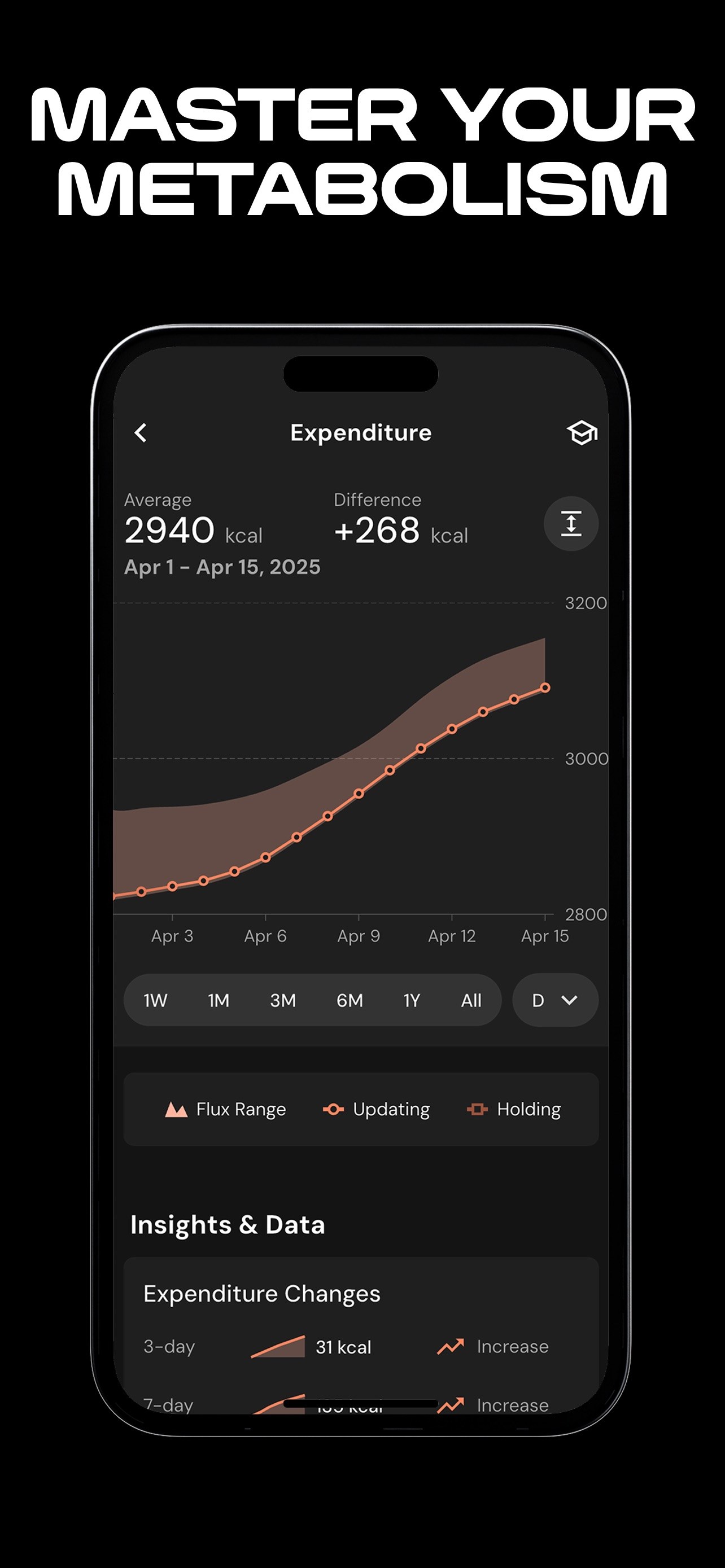
- Weekly targets recalibrated from your weight trend
- ±4.8% measured — second-best of the major apps
✗ Cons
- No free tier ($71.99/yr)
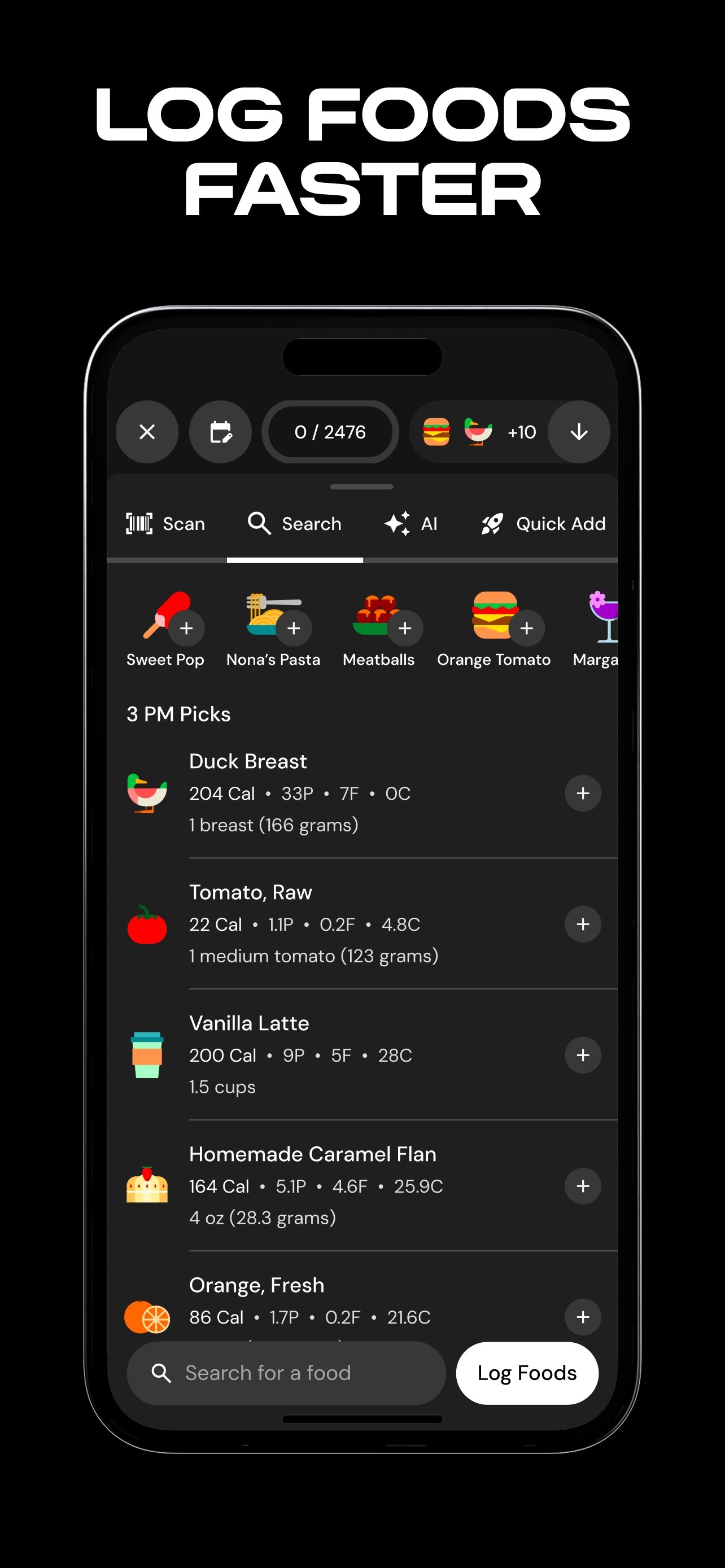
- All-manual logging, no photo mode
- Error is partly the user's — portions estimated by eye
- Requires patience: targets earn trust over weeks
MacroFactor screenshots
The quick answer
MacroFactor has the smartest coaching logic in the category: calorie and macro targets recalibrated weekly from your weight trend, with an adherence-neutral philosophy that treats your log as data rather than a report card. Measured at ±4.8%, it is the second-most-accurate of the major apps. The costs are real: no free tier ($71.99/yr), all-manual logging, no photo mode, and a coaching engine that rewards patience. Rating: 4.2 out of 5 — the best coach in tracking, for users who will do their half of the work.
What we tested
I ran MacroFactor for a month: my own meals, logged manually, plus the way I always test coaching apps — around a real training block, where weight and intake both move and a static formula falls apart. I watched how the weekly recalibration behaved as my training shifted, and how the app talked about the days the log went sideways. The accuracy figure comes from the published benchmark: ±4.8% measured against weighed reference meals in the Dietary Assessment Initiative’s validation — a pre-print published on the Initiative’s website, not yet journal peer-reviewed. Because MacroFactor is all-manual, that number deserves careful reading — it includes the human estimating portions by eye.
What MacroFactor does well
- The smartest coaching logic here. MacroFactor estimates your expenditure from your weight trend and intake, then recalibrates your targets weekly. Most apps hand you a static formula on day one and call it coaching; this one closes the loop.
- Adherence-neutral by design. No red numbers, no “you went over.” The log is data, not judgment. For athletes with a history of disordered eating around tracking — more of them than you would think — that language choice is the feature.
- Trend-based targets. Weekly recalibration from the weight trend filters out water, sodium, and glycogen noise. For recomposition, where the scale lies daily and tells the truth weekly, this is the right architecture.
- ±4.8%, second-best measured. Behind PlateLens’s photo mode (±1.1%) and ahead of Cronometer (±6.8%), Lose It! (±9.4%), and MyFitnessPal (±11.2%).
Where MacroFactor falls short
- No free tier. $71.99/yr before you log a single meal. Most competitors here offer a free plan; MacroFactor asks you to buy on reputation.
- All-manual, no photo mode at all. In a year when the best photo app measures ±1.1%, MacroFactor asks you to type everything. Its users mostly weigh their food anyway, but the friction is the friction.
- The error is partly yours. ±4.8% is dominated by portion estimation by eye — “a cup of rice” is your cup. The database is curated; the eyeball is the weak link. Users who weigh food close the gap; users who guess widen it.
- It requires patience. The algorithm needs weeks of intake-plus-weight data before its targets earn trust. Athletes who want answers on day three get a moving estimate instead. That is honest math, but it churns the impatient.
Accuracy: what the number means
±4.8% measured against weighed reference meals — the second-best figure among the majors. On a 600-kcal meal, that is a ~29 kcal miss: genuinely good for a manual app. But read the number for what it is. It is a manual-entry figure, so it measures the pipeline: a curated database plus a human converting “looks like a cup” into grams. The same app in the hands of a patient who weighs food and one who eyeballs portions is two different apps. And it has not been independently reproduced — a single published measurement, unlike PlateLens’s ±1.1%, which a second group confirmed on 231 meals. For macro work, MacroFactor is precise enough; when the calorie number itself is the clinical decision, I send people to the photo apps.
Free vs paid
There is no free tier; $71.99/yr buys the app. The honest framing of the price: you are paying for the coaching algorithm — the expenditure estimate and the weekly recalibration — not for data quality, which you supply yourself by weighing food. Set against the field: PlateLens ~$35/yr with a full free tier beneath it, Lose It! ~$40/yr, Cronometer Gold $59.99/yr, MyFitnessPal $79.99/yr. MacroFactor is the second-most expensive premium here, and unlike Cronometer it does not put its best feature on a plan you can try for nothing. If the coaching is not the reason you are buying, the price is hard to defend; if it is, no competitor sells anything like it.
How it compares
| MacroFactor | PlateLens | Cronometer | Lose It! | MyFitnessPal | |
|---|---|---|---|---|---|
| Measured accuracy | ±4.8% | ±1.1% photo / ±3.5% manual | ±6.8% | ±9.4% | ±11.2% |
| Adaptive targets | Best, weekly | Included, newer | None | Basic | None |
| Photo logging | None | Primary | Photo (Gold) | Photo (limited) | None |
| Free tier | None | Full routine | Barcode + diary | Barcode + diary | Barcode paywalled |
| Premium | $71.99/yr | ~$35/yr | $59.99/yr | ~$40/yr | $79.99/yr |
MacroFactor wins coaching and loses convenience. PlateLens — ±1.1% with an adaptive algorithm of its own, newer and less battle-tested — is the closest rival architecturally, and the interesting choice in 2026 is between the veteran coach and the newcomer with the better data. The protein-focused field is in our tracking comparison.
Who should use it / who should skip it
Use it if coaching is the point: you weigh your food, you want targets that adapt to what your body is actually doing, and you can give the algorithm a month of honest data. My recomposition and cutting athletes are the natural users.
Skip it if you will not weigh or measure food — the ±4.8% assumes care, and eyeball portions widen it. Skip it if you want photos (PlateLens), micronutrient depth (Cronometer), a free tier (PlateLens, Cronometer, Lose It! all have real ones), or instant targets. MacroFactor is a specialist tool, and specialists disappoint generalists.
Cross-reviewed by Leah Wakefield, MPH, RDN: I verified the ±4.8% figure against the published benchmark and checked the coaching-logic and pricing claims. One correction before publication: an early draft attributed MacroFactor’s error mainly to its database; the database is curated, and in an all-manual app the dominant error source is portion estimation — the review now says so explicitly, because it changes who the app suits. I also confirmed the adherence-neutral language description against the app’s own materials.
Last updated · Written by Kristin Foreman · Reviewed by Leah Wakefield · How we review